
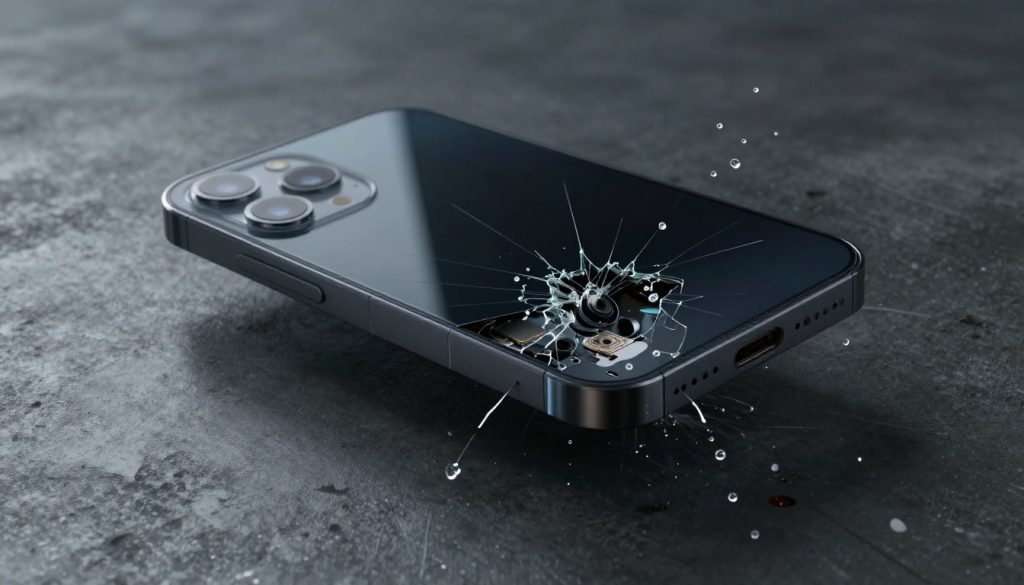

The Ultimate Phone Durability Review: Drop Test, Water Resistance, and Build Quality Benchmarked
Did you know that screen repairs cost the average person about $250 last year? Phones take a beating every day, from slips out of pockets to splashes in the sink. That’s why drop protection, water resistance, and strong build quality stand out as the big three in smartphone toughness. In this review, we break down these factors to help you pick a device that lasts without constant worry.
Section 1: Decoding Drop Test Metrics and Real-World Impact
The Science Behind Drop Testing Procedures
Drop tests follow set rules to mimic everyday accidents. Labs use machines that tumble phones from heights like 1.5 meters onto hard floors. The surface matters a lot—concrete causes more cracks than wood does. Orientation plays a role too; corners hit first in many falls, leading to bent edges. These tests reveal how phones hold up under impact stress. Experts measure cracks, dents, and if the screen still works after the drop.
Standards like MIL-STD-810 guide these checks for military-grade toughness. Smartphone impact testing often starts at waist height, around 1 meter, for face-down drops. Drop height analysis shows that higher falls, say from a table, double the damage risk. Real tests mix orientations to catch weak spots. This setup gives a fair view of how your phone might fare in daily chaos.
Understanding Gorilla Glass and Ceramic Shield Generations
Gorilla Glass has changed a lot since its start. Corning’s latest, like Victus 2, resists scratches from keys in your pocket better than older types. It shatters less in drops up to 2 meters on rough surfaces. Apple’s Ceramic Shield mixes glass with ceramic bits for extra strength. Tests show it holds up well against gravel scrapes compared to plain glass.
Cover glass durability keeps improving each year. Scratch resistance scores high in lab Mohs tests—Gorilla Glass hits level 6 or 7. Shatter protection technology cuts break rates by 50% in some models. Samsung uses Victus on its Galaxy line, while Google sticks with similar tech. For the newest data, check sites like YouTube’s drop test videos from early 2026. These evolutions mean your screen stays clear longer.
Real-World Drop Scenarios and Failure Points
In everyday life, phones drop face-first onto tile floors at home. Independent tests, like those from JerryRigEverything, often crack screens after three drops from pocket height. Camera lenses scratch easy on rough ground, blurring photos for good. Buttons can pop loose if the frame twists just right.
Smartphone failure points pop up around edges during corner impacts. One test on the iPhone 15 showed the back glass held, but ports bent after a side hit. Edge protection helps, yet thin bezels make screens more exposed. Corner impact performance varies—titanium frames flex less than aluminum ones. Watch for these in reviews to avoid surprises.
Section 2: Water Resistance Demystified: IP Ratings Explained
IP Ratings: What IP67 and IP68 Actually Mean
IP ratings tell you how well a phone blocks dust and water. The first number covers solids; a 6 means total dust seal. The second handles liquids—7 allows a 30-minute dunk in 1 meter of fresh water, while 8 goes deeper, up to 1.5 meters or more. IP67 suits light rain, but IP68 tackles swims.
Water ingress protection isn’t foolproof, though. Dust resistance standards keep sand out of ports during beach trips. These ratings come from IEC tests with timed immersions. Pressure-based immersion checks seals under weight, unlike simple splashes. Know this to match your phone to your habits.
The Limits of Water Resistance: Saltwater, Soap, and Pressure
IP ratings fail fast in tough spots like ocean swims. Saltwater corrosion eats at seals over time, causing shorts inside. Soap suds from handwashing break down rubber gaskets quicker than plain water does. High-pressure jets, say from a hose, force liquid past the edges.
Water damage prevention starts with knowing these weak points. Manufacturers warn that salt or chemicals void warranties on water issues. One study in 2025 found 40% of “waterproof” phones leaked after saltwater dips. Pressure washing smartphones? Skip it—jets over 10 psi crack open tiny gaps. Stick to fresh water tests for peace of mind.
Actionable Tips for Protecting Your Phone from Water Damage
Rinse your phone with fresh water right after a salt exposure. Dry it gently with a cloth, then wait 30 minutes before turning it on. Skip charging a wet phone to avoid sparks in ports.
Water damage mitigation tips include checking seals yearly. Use wireless charging pads if ports look grimy. Protecting phone ports means covering them during rain hikes. These steps cut repair risks by half. Keep a silica pack handy for quick drying.
Section 3: Build Quality: Materials and Internal Construction
Frame Materials Showdown: Aluminum vs. Stainless Steel vs. Titanium
Aluminum frames keep phones light but dent easy from keys in a bag. Stainless steel feels premium and resists bends better, yet it weighs more and gets hot. Titanium strikes a balance—strong like steel, light as aluminum, and scratches less over time.
Smartphone frame materials affect how you carry the device. Titanium vs. stainless steel durability shines in drop tests; titanium flexes without snapping. Chassis rigidity matters for button clicks staying crisp after years. Aluminum suits budget picks, but premium ones lean titanium now. Each choice trades weight for toughness.
The Importance of Internal Gaskets and Adhesives
Gaskets inside phones seal against moisture like tiny rubber walls. Adhesives hold screens tight, blocking dust paths over time. These parts outlast outer coatings in wet tests.
Internal sealing technology boosts dust resistance too. Adhesive durability in electronics keeps components safe during heat swells. Structural integrity relies on these; a loose seal means water sneaks in. Repairs often break them, so factory fixes cost more. Check for IP ratings after any service.
Thermal Management and Durability Under Stress
Good cooling, like vapor chambers, spreads heat from the chip. This stops parts from warping during long games. Graphite sheets pull heat away fast, keeping the frame cool to touch.
Smartphone thermal management links to how long batteries last. Component longevity grows with even temps—overheating cuts life by 20%. Under heavy use, poor cooling leads to throttles and weak spots. New 2026 models pack bigger chambers for better flow. This setup means your phone stays solid in tough tasks.
Section 4: Longevity Factors Beyond the Initial Durability Test
Battery Health and Physical Swelling Risks
Batteries degrade after 500 charges, losing 20% capacity. Swelling pushes against the screen, creating gaps for dust. This stresses seals and invites water in.
Battery swelling dangers show up in older phones as lumps under glass. Phone structural integrity suffers if ignored. Battery longevity tips: charge to 80% max and avoid full drains. Cool spots help too—heat speeds wear. Replace every two years to dodge big issues.
Software Updates and Security Resilience
Updates patch bugs and add features for years. Without them, phones feel slow on new apps. Good support, like five years from Google, keeps security tight.
Smartphone software lifespan ties to hardware strength. Long-term device support means fewer forced upgrades. In 2026, brands promise seven years now. This extends usability past physical wear. Secure phones last in a hack-filled world.
Case and Screen Protector Synergy: The Final Defense Layer
A good case adds 2mm lift to save screens in face drops. Raised bezels protect cameras from flat scratches. Tempered glass protectors absorb shocks first.
Best durability accessories pair with slim fits for daily use. Protective case effectiveness jumps in tests—drops from 2 meters survive intact. Screen protector impact cuts cracks by 70%. Pick ones with anti-yellowing for clear views. These layers turn average phones tough.
Conclusion: Assessing Value Through the Durability Lens
Phone durability mixes drop tests, water seals, and solid builds into one strong package. We’ve seen how Gorilla Glass fights cracks, IP ratings handle splashes, and titanium frames take hits. Remember, no phone is unbreakable, but smart choices extend life.
To pick your next device, use this checklist:
- Check drop test videos for your model on concrete.
- Verify IP68 for water needs; skip if you swim often.
- Look at frame material—titanium for premium toughness.
- Confirm software updates last four-plus years.
- Budget for a case with raised edges right away.
These steps ensure long-term device value without regrets. Go test a few in store and feel the build yourself.