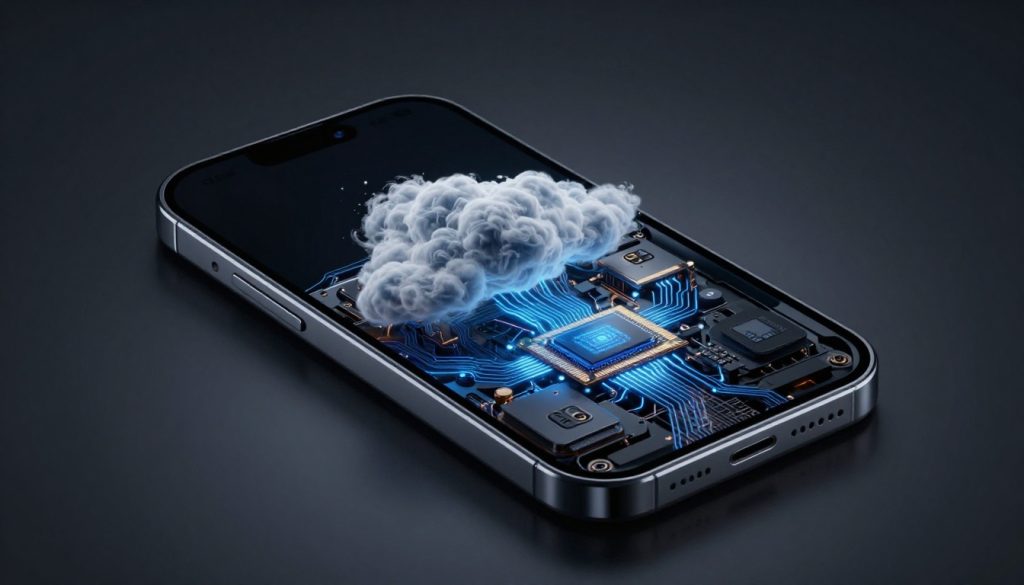

Smartphone Storage Options in 2026: Cloud vs Internal Memory Explained

Picture this: You’re out hiking, capturing 8K videos of stunning views, but your phone warns it’s running low on space. Do you rely on fast local storage to keep snapping away, or trust the cloud to hold everything safely from afar? In 2026, smartphone users face this choice more than ever. Apps eat up room quickly, AI tools need quick access to data, and games demand huge files. This tug-of-war between internal memory and cloud storage shapes how we use our devices.
We’ll break down cloud versus internal memory. You’ll see their strengths and weaknesses. By the end, you’ll know how to pick the right mix for your needs. Let’s dive in.
The State of Internal Storage in 2026 Flagships
Internal storage has come a long way. Phones now pack tiny chips that hold tons of data. Think of them as your device’s personal vault—quick to open and always close by.
UFS tech leads the pack. UFS 4.0 is standard in top models, with UFS 5.0 rolling out soon. These upgrades slash app load times. Your OS feels snappier, too. No more waiting for photos to save during a busy day.
Maximum Capacity and Cost Escalation
Flagship phones offer up to 2TB of internal space. A base model might start at 128GB for around $800. Jump to 1TB, and prices climb to $1,200 or more. That 2TB option? Expect to pay $1,500 easy.
Why the jump? More storage means pricier parts. But if you hoard videos or run heavy apps, it’s worth it. Skip the upgrade, and you’ll fill up fast. Many users regret starting small.
The Role of On-Device AI and Local Processing
AI runs right on your phone these days. It edits photos in a flash or translates speech live. These tasks need space for models—think 50GB just for one set.
Edge computing pushes this trend. Process data locally to save battery and boost privacy. No sending everything to servers. Your internal memory acts as the brain’s quick notepad.
Performance Metrics: Latency vs. Throughput
Internal storage shines in speed. Latency is near zero—files pop up instantly. Cloud can’t match that, even with 6G. Pull up a game? Local wins every time.
Throughput tells another story. Transfer a 50GB video folder locally? It flies at 5GB per second. Cloud tops out at 1GB per second, depending on your signal. For big jobs, stick to internal.
The Ascendancy of Hybrid Cloud Services
Cloud storage isn’t just backup anymore. It’s woven into your phone’s core. Providers like Google and Apple make it feel like an extension of your device.
By 2026, these services predict your needs. They sync files across gadgets without a hitch. Access your stuff from anywhere—work laptop or family tablet.
Seamless Tiered Storage and Offloading
Smart offloading is a game-saver. Your phone spots old files and zips them to the cloud. That 2019 vacation album? It vanishes from local space but stays findable.
Android’s Files app does this auto. iOS pushes iCloud for the same trick. No manual sorting needed. Wake up to more free room each morning.
- Check your storage weekly.
- Let the system handle photos over six months old.
- Keep recent work files local for edits.
Cloud Security and Compliance in 2026
Privacy worries linger, but steps forward help. End-to-end encryption locks your data tight. Only you hold the key.
New rules from the EU and US demand better protection. No more easy breaches. Pick providers with clear policies. Apple’s iCloud leads here, with zero-knowledge setups.
The 6G Connectivity Factor: Reducing Cloud Latency
6G rolls out in spots by now. Speeds hit 100 times faster than 5G. That cuts cloud delays to milliseconds for some apps.
Optimized tools, like cloud gaming, feel local. Stream a movie? No buffering. But spotty coverage still favors internal for basics.
Convergence and Compromise: Hybrid Storage Strategies
Why choose one? Blend cloud and internal for the win. It’s like having a backpack and a big locker—grab what you need, when you need it.
Most phones support this mix. Set rules to balance both worlds.
Actionable Tip: Designing Your Personal Storage Hierarchy
Build your setup step by step.
- Keep core apps and OS files local—always fast access.
- Store high-res games and videos on internal for smooth play.
- Offload archives like old emails or docs to cloud.
Must-stay local: Daily tools and sensitive notes. Cloud suits backups and shares. Test this for a week; tweak as you go.
The Ecosystem Lock-In Effect
Pick iPhone? iCloud pulls you in deep. Android folks lean Google One. Switching means hassle—hours to move gigabytes.
Data sticks like glue in these systems. Photos link to accounts. Break free? Use tools like Google’s Takeout, but expect glitches.
Managing Subscription Fatigue vs. One-Time Hardware Cost
Cloud plans cost $2 to $10 monthly for 200GB to 2TB. Over five years, that’s $120 to $600. A 1TB phone adds $400 upfront but no recurring bill.
TCO favors hardware for heavy users. Light ones save with cloud. Watch for bundle deals—phone makers toss in free cloud now.
Future-Proofing Your Device Storage
Look past 2026. Tech shifts fast. Plan now to stay ahead.
Storage wars heat up. Your choices today set up tomorrow’s ease.
Emerging Technologies: Non-Volatile Memory Express (NVMe) on Mobile
NVMe hits phones soon. It’s like turbo for storage—10 times the speed of UFS. Load apps in a blink.
This makes local feel magical. Even big AI tasks zip by. Cloud might tag along, but internal rules.
The Metaverse and Persistent Local Data Requirements
AR and VR boom on phones. The metaverse needs local power for worlds to load quick.
Textures and maps take 100GB plus. Cloud helps fetch updates, but rendering stays on-device. Lag kills immersion—internal saves the day.
Conclusion: Making the Optimized Choice for Your 2026 Lifestyle
Internal memory offers speed and control, perfect for on-the-go pros. Cloud brings endless space and easy access, ideal for sharers. The trade-offs? Local costs more upfront but saves time; cloud risks connection hiccups but scales free.
No one-size-fits-all. Heavy creators need 512GB internal minimum. Casual users? 256GB plus cloud tiers work fine. Assess your habits—videos, games, or docs?
Start with solid local base. Add cloud for overflow. This hybrid keeps your 2026 phone humming. Ready to upgrade? Check specs and test plans. Your data deserves the best setup.